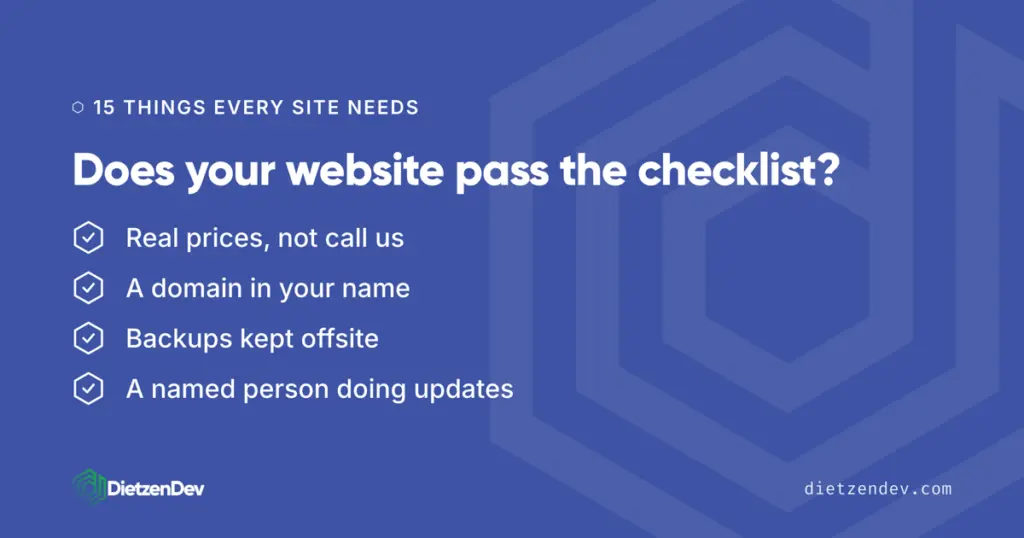
Small business website checklist: 15 things your site needs
You have a website. Someone built it a few years ago, it looks fine on your laptop, and you have not thought hard about it since. This small business website checklist is for you: the owner of a shop, a service business, or a practice who does not want to become a web person, but wants to know the site is doing its job. The short answer is that a working site needs 15 things across four areas: basics that make the phone ring, trust signals, the things that get you found on Google, and the protection items nobody checks until something breaks. Walk through the list below and count your score. Most sites we review fail at least four.
TL;DR: the 15 items fall into four groups. Contact info, a clear pitch, a working form, real photos, and real prices make the phone ring. HTTPS, named reviews, and a real about page build trust. Speed, mobile, page titles, and a matching Google Business Profile get you found. A domain in your name, offsite backups, and a named person responsible for updates keep you protected.
- The basics that make the phone ring
- Trust signals
- Getting found
- Protection: the items nobody checks until it is too late
- Frequently asked questions
The basics that make the phone ring
1. Your phone number where people can see it
Top right corner of every page, and tappable on a phone. A visitor who has to hunt for your number will call the competitor whose number was right there. If you prefer form leads, that is fine, but the number still belongs on the page. Hiding it reads as hiding.
2. What you do and where you do it, above the fold
Before anyone scrolls, your homepage should answer two questions: what is this business, and does it serve my area? “Plumbing repair and installation in Effingham and surrounding counties” beats a vague slogan every time. If your headline could sit on any company’s website, it is not doing its job on yours.
3. A contact form that actually sends
This one fails silently and costs real money. Hosts change mail settings, plugins break, and the form keeps smiling while every lead disappears. Test your own form today, from your phone, and confirm the message lands in an inbox someone reads. Then put a reminder on the calendar to test it every month.
4. Real photos, not stock
Your building, your crew, your work. Customers in a small town recognize stock photos instantly, and a site full of models in hard hats says the business has something to hide, or just did not care. Phone photos taken in decent light beat glossy stock. One real before-and-after photo of your work sells harder than any paragraph.
5. Real prices, or at least starting prices
“Contact us for pricing” is where leads go to die. You do not need a full price sheet, but “most roof repairs run $400 to $1,200” tells a visitor they are in the right place and filters out the people who were never going to buy. We publish our own prices, like the $299 per month website subscription, for exactly this reason.
Trust signals
6. HTTPS, the padlock in the address bar
If your site still loads over plain HTTP, Chrome has marked it “not secure” next to your business name since 2018, per the Chromium team’s announcement. The certificate itself is free these days. There is no excuse a visitor will accept, because the browser does the accusing for them.
7. Reviews with real names
Three or four reviews with first and last names, pulled from your Google reviews, carry more weight than a wall of anonymous five-star quotes. “Great service!!!” attributed to nobody convinces nobody. Ask your best customers directly; most are happy to help, and their names make the praise checkable.
8. An about page with a real person on it
Small businesses win on the one thing the big chains cannot copy: you. A photo of the owner, a few honest sentences about how long you have been at it, and who answers the phone. People hire people. An about page that only says “we are committed to excellence” is a missed layup.
Getting found
9. Loads fast on a phone
Slow sites lose visitors before the page ever appears, and speed affects how Google ranks you. Google’s own research on why speed matters links slower pages directly to visitors abandoning them. Run your site through PageSpeed Insights, which is free. Under two seconds is the bar we build to; over five on a phone means you are losing people daily.
10. Works on a phone, not just shrinks on one
More than half of your visitors are on a phone, and Google crawls the mobile version of your site first when deciding where you rank. Pull up your site on your own phone. Can you tap the number without zooming? Read the text? Use the menu? If not, the mobile version is not an extra, it is the site.
11. Page titles that say what and where
Every page has a title tag, the text on the browser tab and the blue link on Google. “Home” tells Google nothing. “Dog grooming in Mattoon, IL | Shear Magic” tells it everything. This is the single cheapest SEO fix that exists, and most locally built sites get it wrong on every page.
12. A Google Business Profile that matches your site
Your name, address, phone number, and hours should read exactly the same on your website and your Google Business Profile. Mismatches confuse Google and cost you map rankings. The profile is not a substitute for the site either: it rents you a listing on Google’s land, while the website is the property you own.
Protection: the items nobody checks until it is too late
13. A domain registered in your name
Not your designer’s name, not the agency’s, yours. If the business does not control the domain registration, the business does not control the website, whatever the invoice said. Look up your domain on a WHOIS lookup site today. If someone else is listed as registrant, getting it transferred while everyone is still on good terms is a lot easier than after a falling out.
14. Backups that live somewhere else
A backup stored on the same server as your site dies with the server. Real protection means automatic backups, kept somewhere offsite, tested so you know they restore. Ask whoever hosts your site two questions: where do the backups live, and when did anyone last restore one? Our managed hosting does nightly offsite backups because we have seen what happens without them.
15. A named person responsible for updates
WordPress core, themes, and plugins all ship security updates constantly, and unpatched software is how small business sites actually get hacked. “The hosting company handles it” is usually wrong; basic hosts keep the server on, not your software. Someone specific, in-house or hired, should own updates, and you should know their name. That standing responsibility is the core of what our website subscription covers.
Score your site
Count the items you can honestly check off. Twelve or more and your site is in better shape than most we see. Eight to eleven, you have real gaps, and the protection items should come first because they are the expensive ones to learn about the hard way. Under eight, the site is likely costing you customers right now, and it is worth a serious conversation about fixing or replacing it.
Frequently asked questions
How many of these can I check myself?
Twelve of the fifteen, in about half an hour, with no technical skill. Load your site on your phone, test the contact form, look for the padlock, read your page titles on Google, and run a WHOIS lookup on your domain. Only backups, update responsibility, and speed diagnostics usually need whoever manages the site to answer.
What is the most important item on the checklist?
The domain in your name, item 13. Everything else on the list can be fixed with time or money. A domain controlled by someone who disappears, or who decides to hold it hostage, can take your business name off the internet entirely. Check it first.
What does it cost to fix a site that fails most of these?
It depends on whether the bones are good. Fixes like page titles, HTTPS, and real photos are hours of work, not weeks. If the site is slow, not mobile-friendly, and built on a page builder nobody can maintain, a rebuild is usually cheaper than patching. A custom build starts around $5,000, or a subscription covers everything for $299 per month.
Do I need a blog on my small business website?
No, not to pass this checklist. A blog helps you show up for more searches over time, but a stale blog whose last post is from 2023 hurts more than no blog. Get the fifteen items solid first. Add a blog only if someone will actually keep it fed, even once a month.
How often should I run through this checklist?
Twice a year, plus any time something changes hands: a new host, a new designer, a staff departure. The form test deserves monthly attention because it fails silently. Most items, once fixed, stay fixed. The ones that drift are speed, which decays as plugins pile up, and updates, which stop the moment nobody owns them.
The bottom line
A small business website checklist is not about having a fancy site. It is about a site that answers the phone-ring basics, earns trust, shows up on Google, and will not vanish or get hacked because nobody was watching. Fifteen items, most of them checkable this afternoon. If you would rather have a professional run the full check, we do a free website review: we go through this list and more on your actual site and send you the honest results, whether or not you ever hire us.